Field Screen
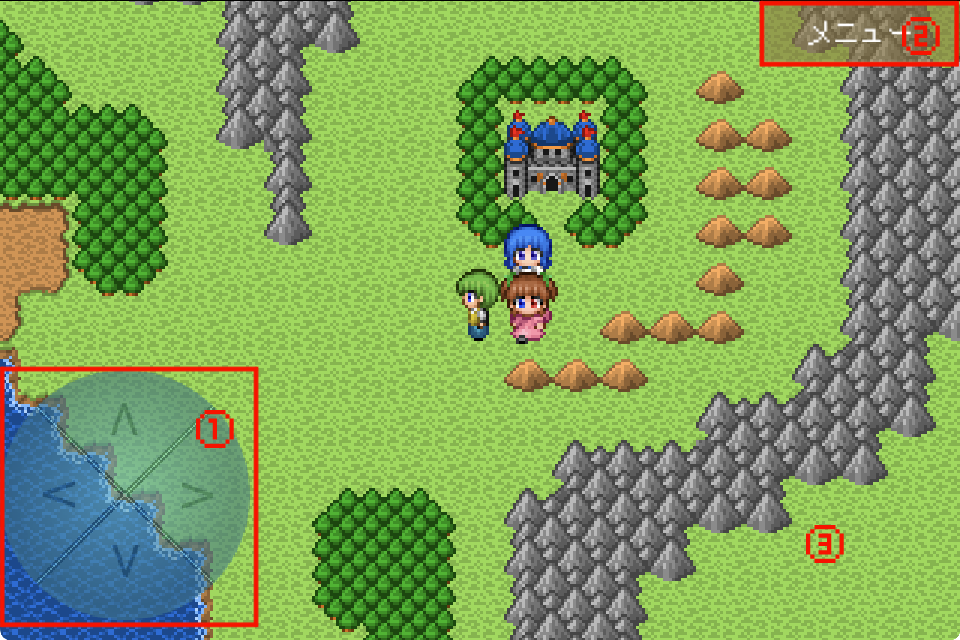
- ①D-Pad — Press the arrow directions on the D-pad to move your character in that direction.
- ②Menu Button — Displayed in the upper right. Tap to open the menu screen.
- ③Screen Tap — Tap anywhere on the screen to talk to or examine something nearby.
Battle Screen
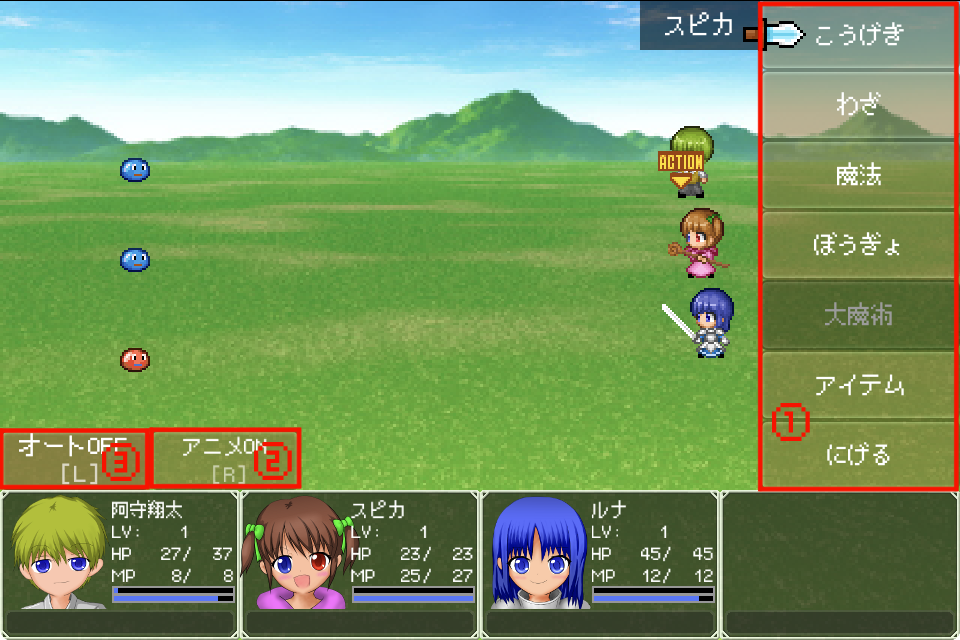
- ①Battle Menu — Choose the action for the character whose turn it is.
- ②Animation — Turn OFF to skip lengthy animations.
- ③Auto Battle — Toggle auto battle ON/OFF. When ON, the game fights automatically.
Menu Screen
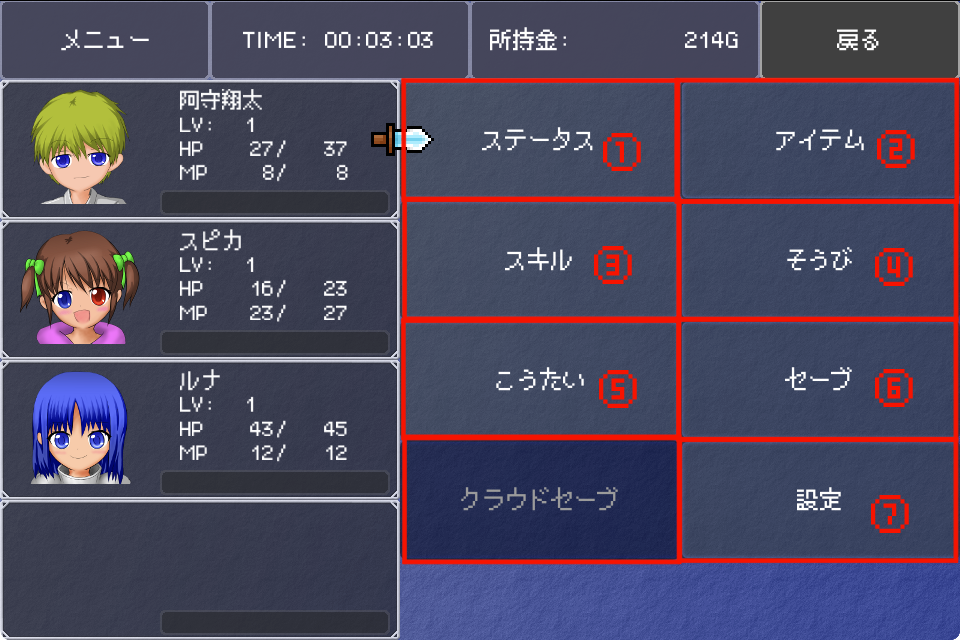
- ①Status — View each character's stats (level, HP, MP, ATK, etc.).
- ②Items — View and use items in your inventory.
- ③Skills — Use field magic spells.
- ④Equip — View and change equipment.
- ⑤Order — Rearrange the party order.
- ⑥Save — Save the game. Don't forget to save before important moments.
- ⑦Settings — Open the settings screen.
Settings Screen
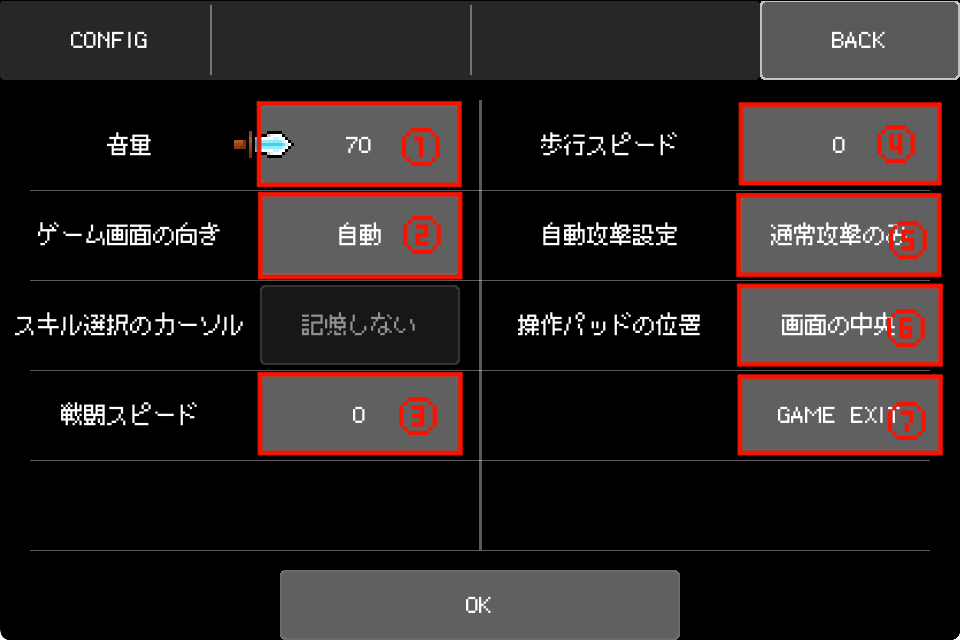
- ①Volume — Adjust the game volume (0–100).
- ②Screen Orientation — Choose from Auto, Portrait, or Landscape.
- ③Battle Speed — Adjust battle pacing. Higher values are faster.
- ④Walk Speed — Adjust character movement speed on the field.
- ⑤Auto Battle Settings — Configure auto battle behavior, such as whether to use skills or attack only.
- ⑥D-Pad Position — Set the position of the on-screen D-pad (e.g., center of screen).
- ⑦GAME EXIT — Exit the game.